

If you find value in my newsletter and want to support the work that goes into it consider —> [☕Buy Me a Coffee☕]💡 Want more from me? [SEO Strategy Course] | [Build Your Own SEO Tools (with Python & Agentic AI)] | [Premium SEO Mastermind]
Alternatively you can become a paid subscriber:
Intro
You entity matter for your visibility in search. It also matters in your visibility in LLMs not necessarily directly but also as a secondary impact of how prominent and clear your entity is in search engines and online in general.
Because LLMs generate their answers based on their training data, and their grounding searches, your entity prominence and authority is very important.
Entities have always been important for Google search. Any one remembers when Google moved from dealing with “strings” to “things” and they built their knowledge graph specifically for this.
Well the good news is that, there’s an API for Google Knowledge Graph that you can use for free and that’s what I’m sharing today, a python script to analyze your entity!
So buckle up!
First get the API key
Here’s how:
Go to https://console.cloud.google.com/
Click the project drop-down menu at the top of the page and select a New Project to create a new one.
Then, open the left navigation menu and navigate to APIs & Services > Library.
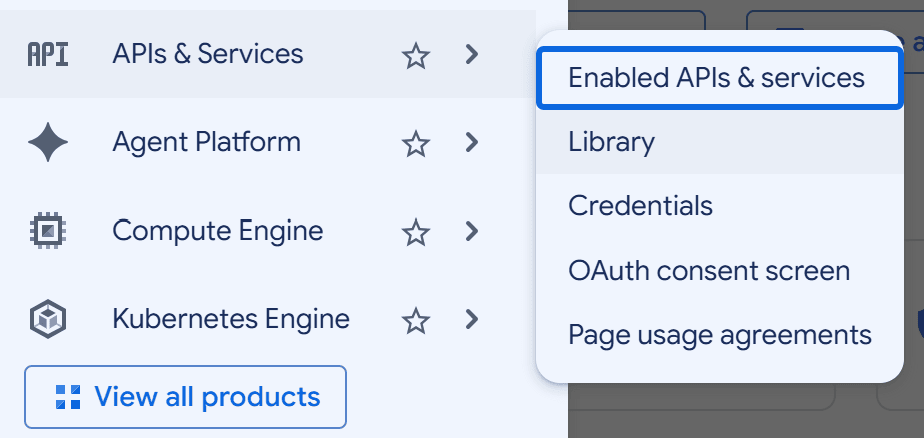
In the search bar, look for Knowledge Graph Search API.
Click on the API from the search results and click the Enable button
Once enabled, go back to the left menu and select APIs & Services > Credentials.
Click the Create Credentials button at the top of the screen.
Select API key from the drop-down list.
A dialog box will appear displaying your newly created API key. Copy this key and save it securely.
The script
Now this is the part where you don’t have to do anything! I built the code for you using Python and Google collab, all you need to do is to make a copy of this script.
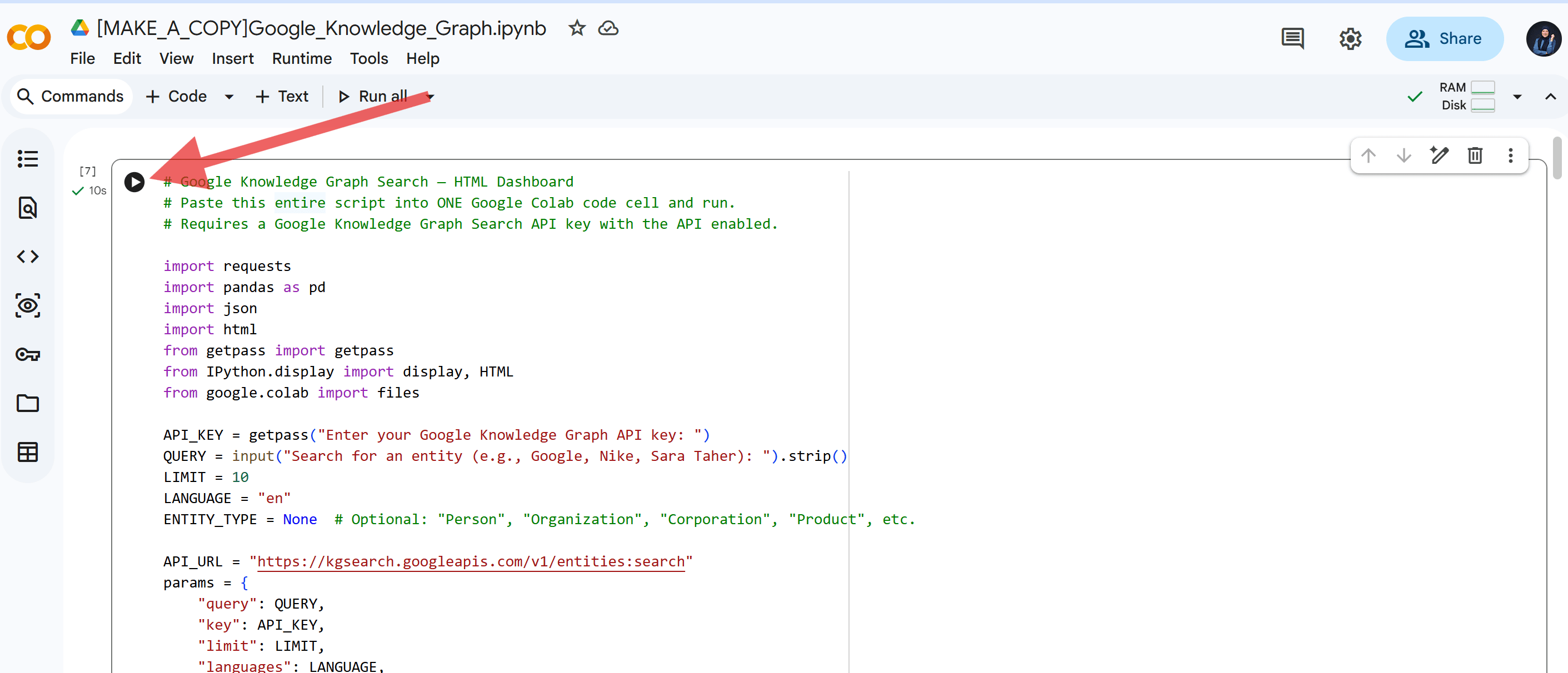
Once you click on the run button, and scroll down you’ll be asked to enter the API key.
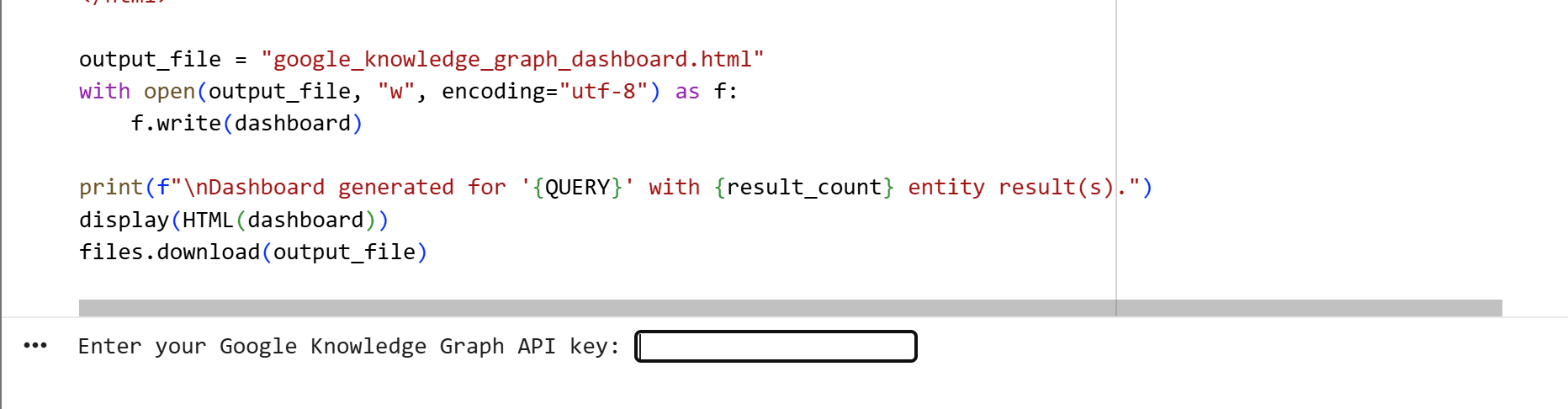
Done? awesome, now you’ll be asked to enter the name of your entity, it can be anything really!

The Output
The output will be printed directly on your screen in Google collab, but also you’ll notice that there’s an HTML report downloaded! I ran this few times.
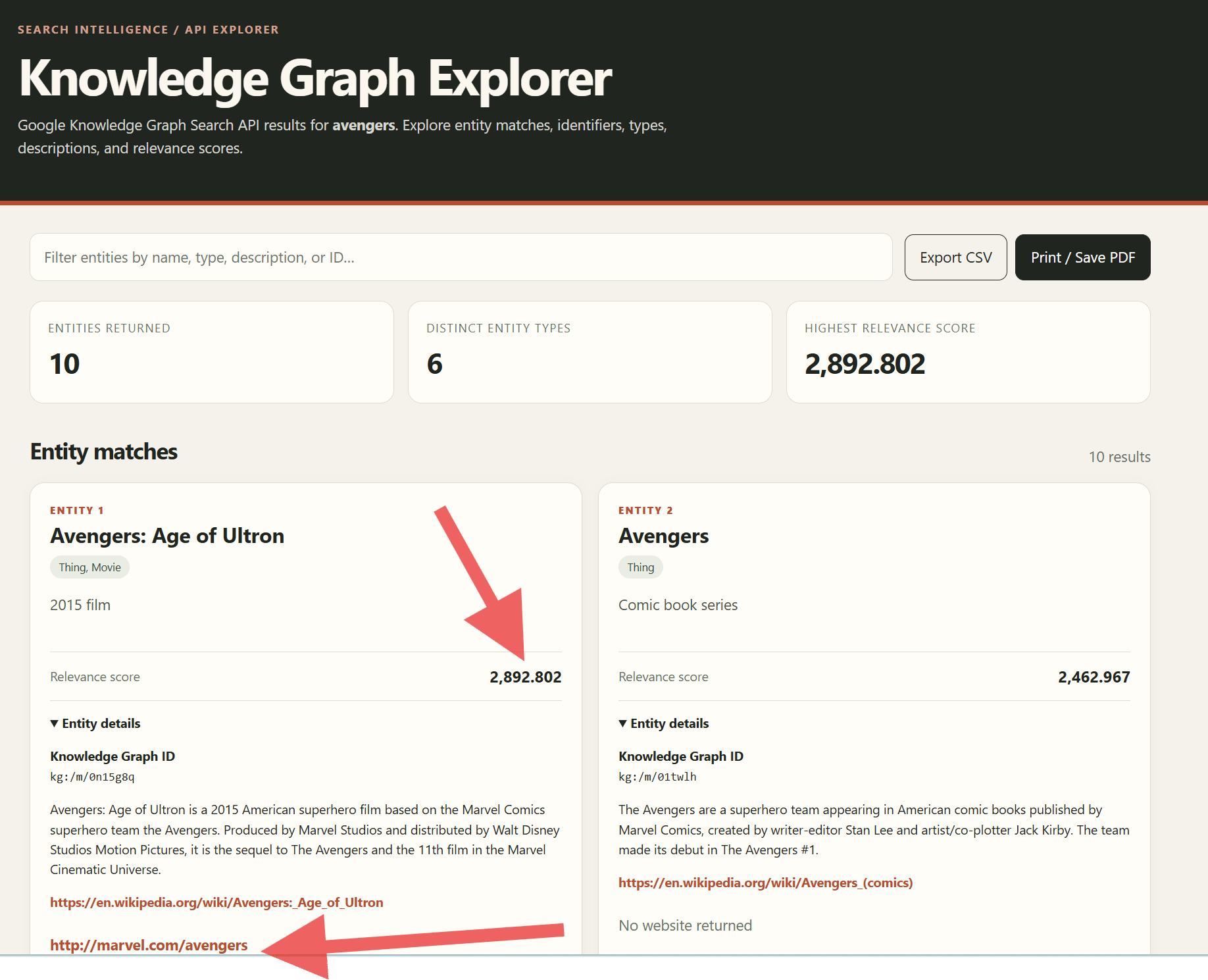
Here are the HTML report for “avengers” entity. What I find interesting is two items, the relevance score and the URL associated with an entity. I tell ya, did not anticipate that “age of ultron” specifically would be the highest associated entity with the term “avengers” 🤷
Also note how some entities are not associated with a URL.
what’s cool is that, at the end of this report, there’s also an entity search summary table.
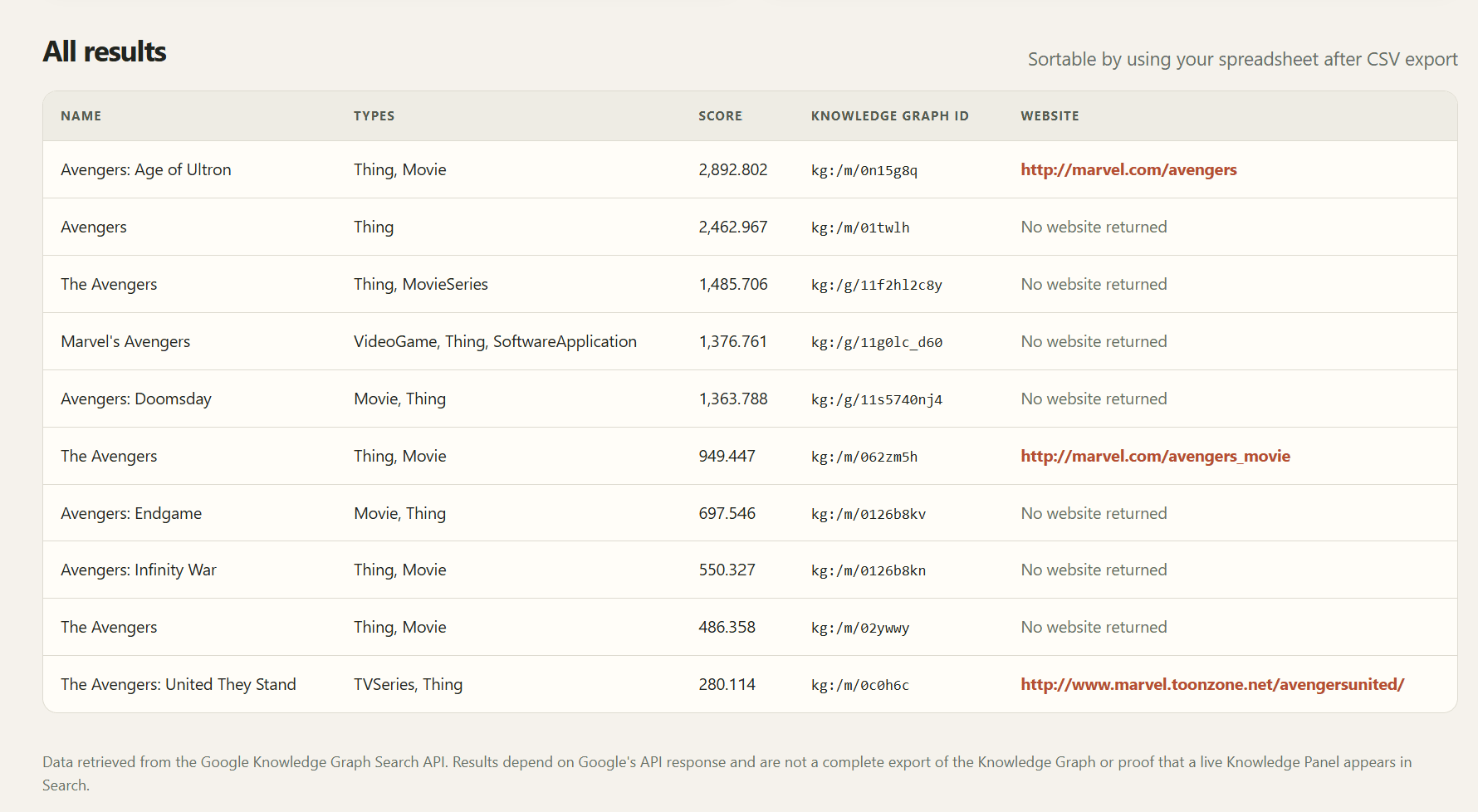
Cool stuff, eh?
And That’s a Wrap (Almost 😄)
2026 is the SEO DIY era, come on board and enjoy this ride. I know a lot of people are not very technical but you don’t need to be that technical to use a simple script!
There’s definitely a small (tiny tiny) learning curve in the beginning but within 1-2 hours you can learn how to get an API key and use a script and the best part? you now have an unlimited choice of things you can do!
If you liked this script and looking for more? maybe check out my Build Your Own SEO Tools course?
I hope this script is helpful, and if you have not used a python script before, I hope this was enough to capture your interest and gave you the motivating to try it out!
That’s that for today folks and see you in the next newsletter!
Support the Riddler!
Sign up for my newsletter if you’re not already. (Pssst, you can also become a paid subscriber)
Share the newsletter and invite your friends to signup. Help me reach 2k signups on Substack by end of 2026 please 🙂
Provide feedback on how I can make this newsletter better!!!
If you’re an SEO tool or an SEO service provider, consider sponsoring my newsletter. I’m also open to other partnership ideas as well.
Disclaimer: LLMs were used to assist in wording and phrasing this blog.